
In our previous articles, we learned that Node.js operates on a Single-Threaded Architecture. This means it only has one main "hand" to execute JavaScript code.
Because Node.js only has one thread, the absolute worst thing you can do as a developer is make that thread wait. If the main thread stops to wait for something, your entire server freezes. No other users can log in, no pages will load, and your application will grind to a halt.
This brings us to the most important concept in backend development: the difference between Blocking and Non-Blocking code. Let's explore what they mean, how they impact performance, and how to write code that scales.
What blocking code means? (The Waiting Game)
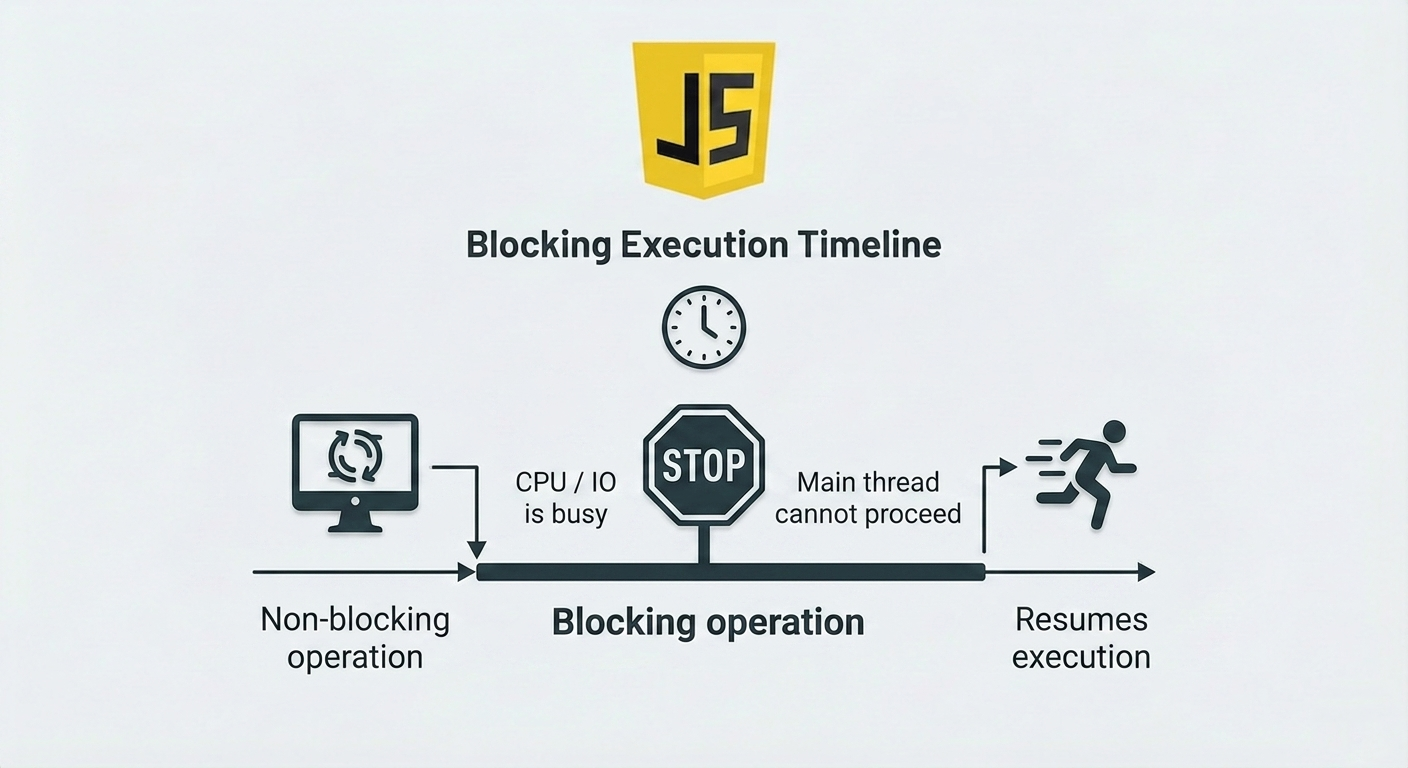
Blocking code is executed synchronously. This means the Node.js main thread executes code line-by-line, top-to-bottom, and will not move to the next line until the current line is 100% finished. The Analogy: The Bad Cashier Imagine a fast-food restaurant with only one cashier (the Single Thread).
Customer A orders a burger.
The cashier walks to the kitchen, cooks the burger, and waits for it to finish.
Customer B, C, and D are standing in line waiting to order. They cannot even speak to the cashier until Customer A's burger is completely done. This is a terrible restaurant model. In Node.js, if you use blocking code for a heavy task, every single user on your website is stuck waiting in that line.
Simple analogy: waiting in place
Think of blocking code like standing at a counter and refusing to move until your full order is ready.
Nothing else happens.
Nobody else gets served through your line.
The whole flow pauses behind that waiting point.
That is exactly why blocking code becomes dangerous on servers.
What non-blocking code means**? (The Multi-Tasker)**
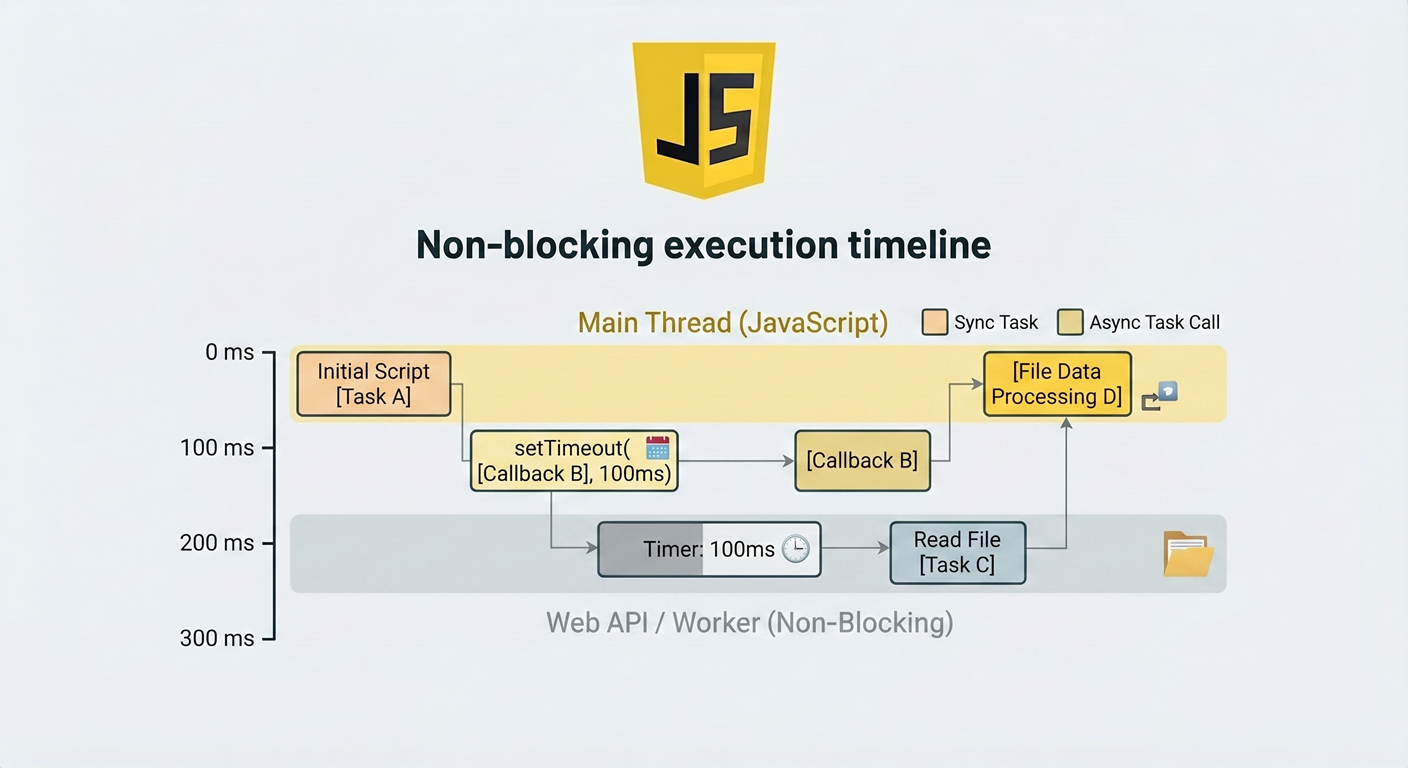
Non-Blocking code is executed asynchronously. When Node.js encounters a time-consuming task, it offloads that task to the background (to a system called libuv) and instantly moves on to the next line of code.
When the background task finishes, it notifies the main thread via a callback or a Promise.
The Analogy: The Good Cashier Let's fix our restaurant.
Customer A orders a burger.
The cashier hands the order to the kitchen, gives Customer A a buzzer, and says, "Please step aside."
The cashier instantly turns around and takes Customer B's order.
When the kitchen finishes the burger, the buzzer goes off (an Event), and the cashier hands the food to Customer A.
The line keeps moving, and nobody is blocked.
Why blocking slows servers?
This is where the concept becomes practical.
Node.js uses a single JavaScript thread by default, and the event loop is what lets it perform non-blocking I/O by offloading operations to the system whenever possible. The official Node.js event loop guide says this directly: Node can perform non-blocking I/O despite using a single JavaScript thread because operations are offloaded to the system kernel when possible.
The Node.js blocking guide also explains that JavaScript execution in Node.js is single-threaded, and concurrency depends on the event loop being free to continue running while I/O happens.
So what happens if you block?
If the event loop is tied up doing one slow task, it cannot quickly move on to help other requests. Node’s “Don’t block the event loop” guide says that all incoming requests and outgoing responses pass through the event loop, and if it spends too long at any point, current and new clients do not get a turn.
That is why blocking code slows servers:
one slow task delays unrelated requests
throughput drops
response times become inconsistent
the app feels “stuck” under load
The key insight
Blocking code is not just “slower code.”
It is code that prevents the server from handling other work efficiently.
Async operations in Node.js
Node.js is built around asynchronous work. The official event loop docs explain that the event loop allows non-blocking I/O, and the “Don’t block the event loop” guide says Node uses an event loop for orchestration and a worker pool for expensive tasks like some file system work, DNS, crypto, and compression.
That means many Node.js APIs come in two styles:
synchronous / blocking
asynchronous / non-blocking
Examples include:
file reads: readFileSync() vs readFile()
file deletes: unlinkSync() vs unlink()
many other standard-library I/O calls with Sync and non-Sync variants
You can also use async/await, which works with promises. MDN explains that await pauses the surrounding async function until the promise settles. That does not mean it freezes the whole Node.js process. It only pauses that async function’s flow while the runtime continues managing other work.
Real-world examples (file read, DB calls)
1: File Reading Scenario
This is the easiest example to understand because Node’s official docs show it directly.
Blocking file read
const fs = require('node:fs');

const data = fs.readFileSync('./report.txt');
console.log(data.toString());
doMoreWork();
In this version, doMoreWork() cannot run until the file has been fully read. Node’s guide explicitly states that in the synchronous version, the later code runs only after the file read finishes.
Non-blocking file read
const fs = require("node:fs");

fs.readFile("report.txt", (err, data) => {
  if (err) throw err;
  console.log(data.toString());
});

doMoreWork();
Here, doMoreWork() can run immediately while the file is still being read. The official guide highlights this exact benefit and says the ability to continue with moreWork() is a key design choice that enables higher throughput.
Why this matters on a server
If 100 users hit your app and each request performs blocking file I/O, requests start piling up behind each other. If the file I/O is non-blocking, the server can keep moving between tasks while waiting for file operations to complete. Node’s guides tie this directly to higher throughput and better concurrency.
2: Database Calls
Database calls are a perfect real-world example because they are usually I/O-heavy. The official Node.js blocking guide gives an example where each web request takes 50ms total, and 45ms of that is database I/O that can be handled asynchronously. It explains that choosing non-blocking async operations frees up that time to handle other requests, which significantly improves capacity.
That means a typical database call should be treated more like this:
app.get("/users", async (req, res) => { const users = await db.getUsers(); // waits for DB result in this function res.json(users);
The surrounding async function waits for the result, but the Node.js runtime is still designed to keep the event loop available for other tasks instead of freezing the entire process the way blocking synchronous I/O would. This fits both Node’s event loop documentation and MDN’s description of asynchronous programming. });
Key Takeaways
Blocking code makes Node wait before continuing JavaScript execution. Synchronous standard-library I/O methods are the most common example.
Non-blocking code starts a task and lets the runtime continue doing other work while waiting for the result.
Blocking slows servers because Node’s event loop is central to handling requests, and if it is tied up too long, other requests do not get a turn.
Async operations like file reads and database calls are where Node.js performs best, because they let the app keep moving instead of pausing for each I/O step.
File handling is the easiest demo of the difference: readFileSync() blocks, while readFile() allows more work to continue first.
Conclusion
The magic of Node.js lies in its non-blocking, event-driven architecture. By refusing to wait for slow tasks like reading files or querying databases, a single Node.js thread can juggle thousands of simultaneous user requests effortlessly.
Always remember the golden rule of Node.js: Don't block the Event Loop! Use Promises, async/await, and callbacks to keep your single thread moving, and your web applications will run blazing fast


